Chrome extension · Maps leads
Google Maps Scraper for sales-ready leads
Extract names, phones, websites, and emails from Google Maps into CSV. Built for sales, recruiting, and local outreach — not a per-record API bill.
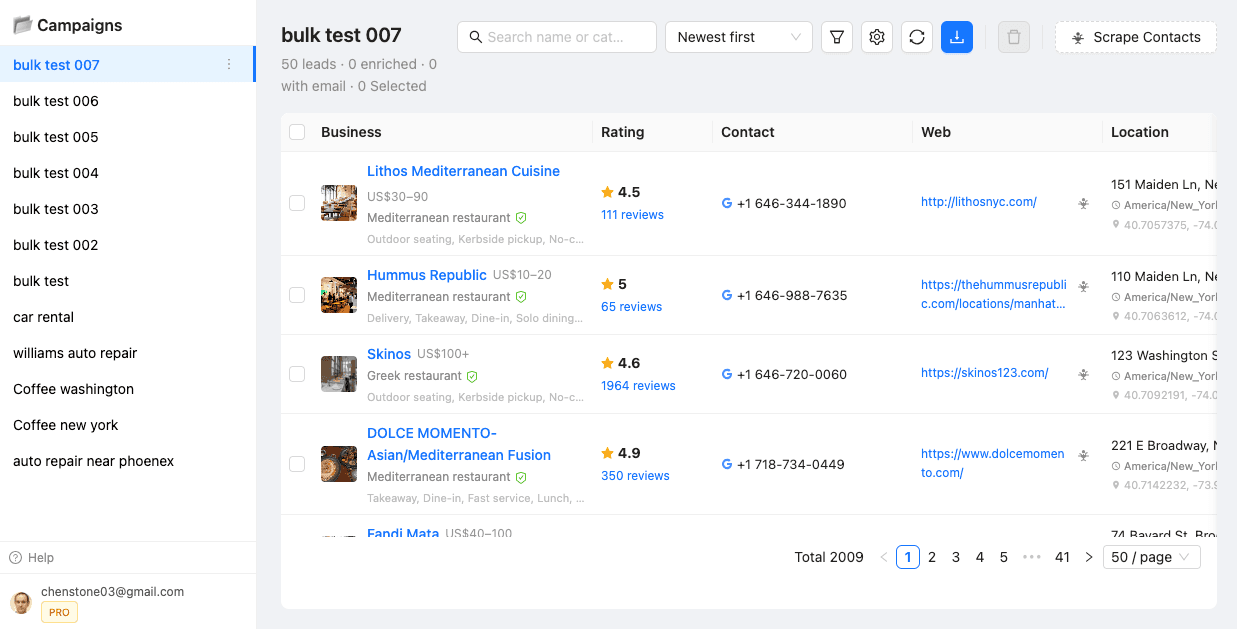
Campaign list after Collect / Batch — view, filter, and export from the dashboard.
How it works
- Install the extension — download the ZIP, Load unpacked in Chrome. Install guide.
- Collect this page — open a Maps search, start collecting the results already on screen.
- Batch Collect — run many keywords across cities to grow past the ~120 result cap per search.
- Filter, enrich, export — narrow the list (including no website), enrich emails/social, download CSV.
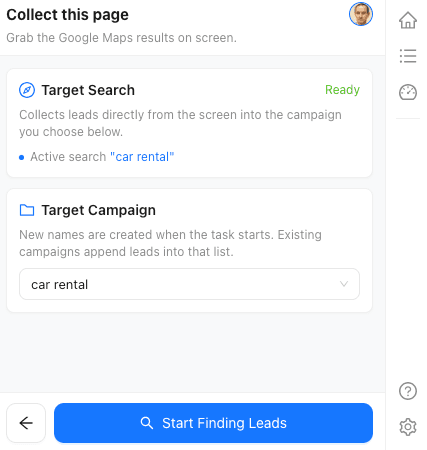
Collect this page — side panel
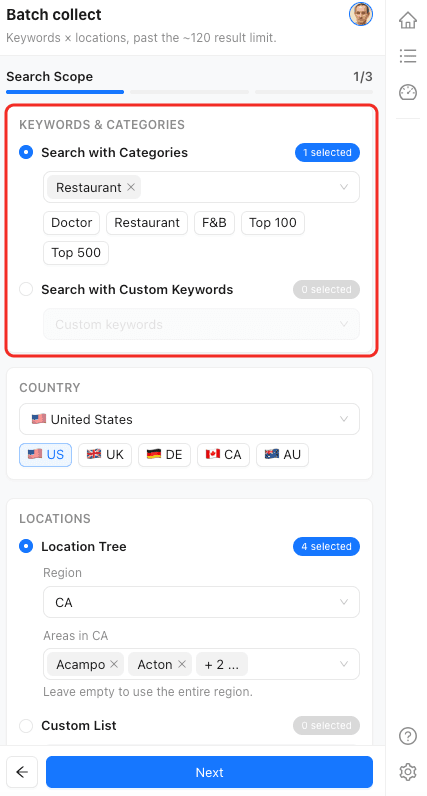
Batch Collect — keywords & locations
Fields you can export
Typical CSV columns from Maps plus enrichment when a business has a website.
- •Business name
- •Phone
- •Website
- •Address / city / postcode
- •Rating & review count
- •Category
- •Opening hours
- •Place ID / CID
- •Coordinates
- •Emails & social (enrichment)
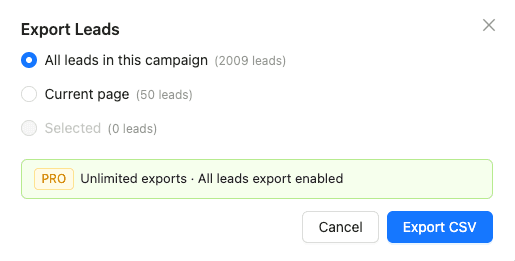
Export current page, selection, or full campaign as CSV.
Trial & pricing
| Model | What you pay |
|---|---|
| LeadsMap trial | 3 days full features after Google sign-in |
| LeadsMap Pro | $10 / month — not per record |
| Typical API / cloud scrapers | Often charged per record or credits |
Need businesses without a website? Find no-website leads from Maps. Filter details: How filters work.
FAQ
Is LeadsMap a Google Maps Scraper API?
No. LeadsMap is a Chrome extension you load from a ZIP (Load unpacked). You collect from Maps in the browser, then filter, enrich, and export CSV. We are not an API marketplace.
How does Batch Collect get past ~120 results?
Google Maps typically caps a single search around ~120 results. Batch Collect runs many keywords across a location tree so each search stays under the cap while your campaign list keeps growing.
What does the 3-day trial include?
After you sign in with Google, you get full features for 3 days: collect, batch, filters, enrichment, and CSV export. Then Pro is $10/month — not priced per record.
Do I need the Chrome Web Store?
No. Download the ZIP from our Install Guide, enable Developer Mode, and Load unpacked. The install walkthrough takes about two minutes.